Built with JavaScript and the WebExtensions API, I made these two Firefox Extensions to streamline a personal project where I needed to save a large number of web pages to PDF.
Save Link as PDF
Right-click any link to save its target page as a PDF. Uses the WebExtensions contextMenus API to add a right-click option, then opens the link in a new tab via the tabs.create() API.
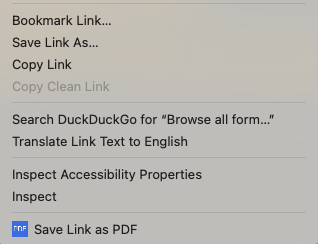
The background script monitors page load with tabs.onUpdated listeners, then sends a message to the content script to trigger Firefox’s native window.print() dialog. Users can select “Save to PDF” from the print dialog. The extension uses message passing between background and content scripts for secure communication and validates URLs before opening them.
Batch Save to PDF
Batch-process multiple links by opening each sequentially and showing the print dialog for PDF saving. This tools requires a common link ID or class that is present in each link element on the page, that needs to be hardcoded before running the tool.
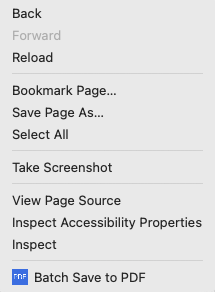
The WebExtensions contextMenus API is used for page-level right-click access. The content script uses querySelectorAll() to find matching links, then the background script processes them through a queue system using the tabs API. Each link opens in a new tab via tabs.create(), and after the page loads, the content script triggers Firefox’s native window.print() dialog. Links are processed one at a time to avoid browser overload, and all URLs are validated for security before opening. Tabs remain open so users can save PDFs while subsequent pages load.
Both extensions use Firefox’s native print-to-PDF, include context menu integration, and handle background tab management and automatic cleanup. I developed these for my own personal use in gathering documents for offline archiving.